


GiftSync for QuickBooks
GiftSync makes reconciling online and offline donations a breeze, syncing Virtuous to your QuickBooks accounting system. Track gifts effortlessly, cut manual effort processing fees, and ensure accuracy and confidence through robust reporting.
Vertical Focus
All Nonprofits
Virtuous Academy Certified

Certified
Virtuous Academy Certified
Implementation Partner
About
Simplify reconciliation and gift tracking for online and offline donations
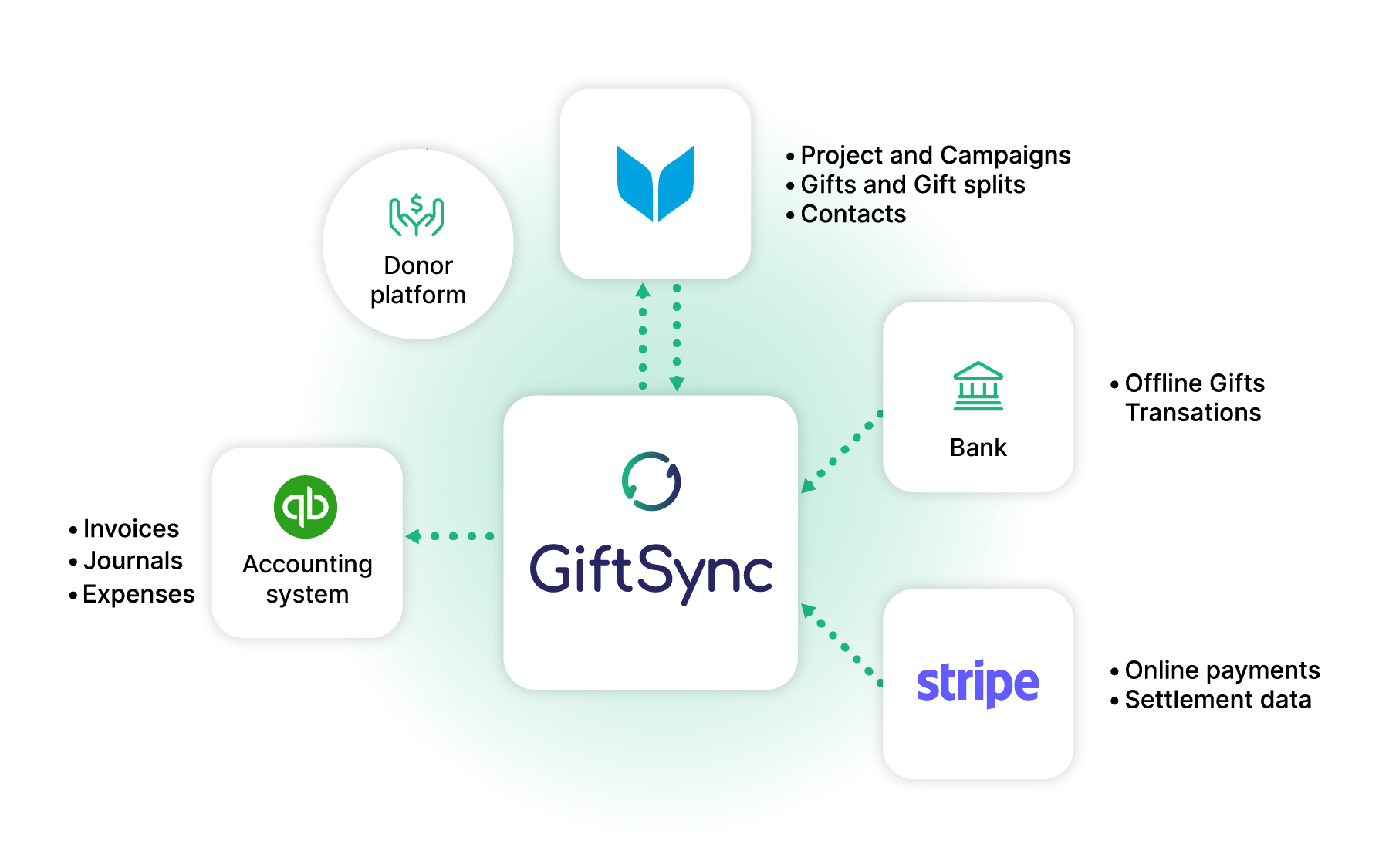
GiftSync is a tool that syncs donation transaction data from Virtuous to your QuickBooks accounting system, ensuring accurate financial tracking and reconciliation. It handles donations from various sources, including Stripe payments, Direct Bank Transfers, Cheques, Cash, and EFTPOS, while generating journals tied to Virtuous projects. For Stripe transactions, it links settlement data directly to the synced gifts, ensuring that only settled transactions are transferred, aligning perfectly with bank statements.
Integration Diagrams
Data
Project & Gift Splits
Project & Gift Splits
Donors
Donors
Gift Data
Gift Data

Data
Accounting System - Invoices, Journals, Expenses
Accounting System - Invoices, Journals, Expenses
Stripe Settlement
Stripe Settlement
Bank Transactions
Bank Transactions
Features

Stripe integration
- Links Stripe payments to their settlements for accurate reconciliation, matching bank statements flawlessly.
- Sends only settled gifts to your QuickBooks accounting system, reducing errors and ensuring clean financials.
- Includes Stripe transaction costs, automatically split by Virtuous projects for precise fund allocation.

Offline Donations (Bank Transfer Donations, Cheques, Cash, ETF, EFTPOS)
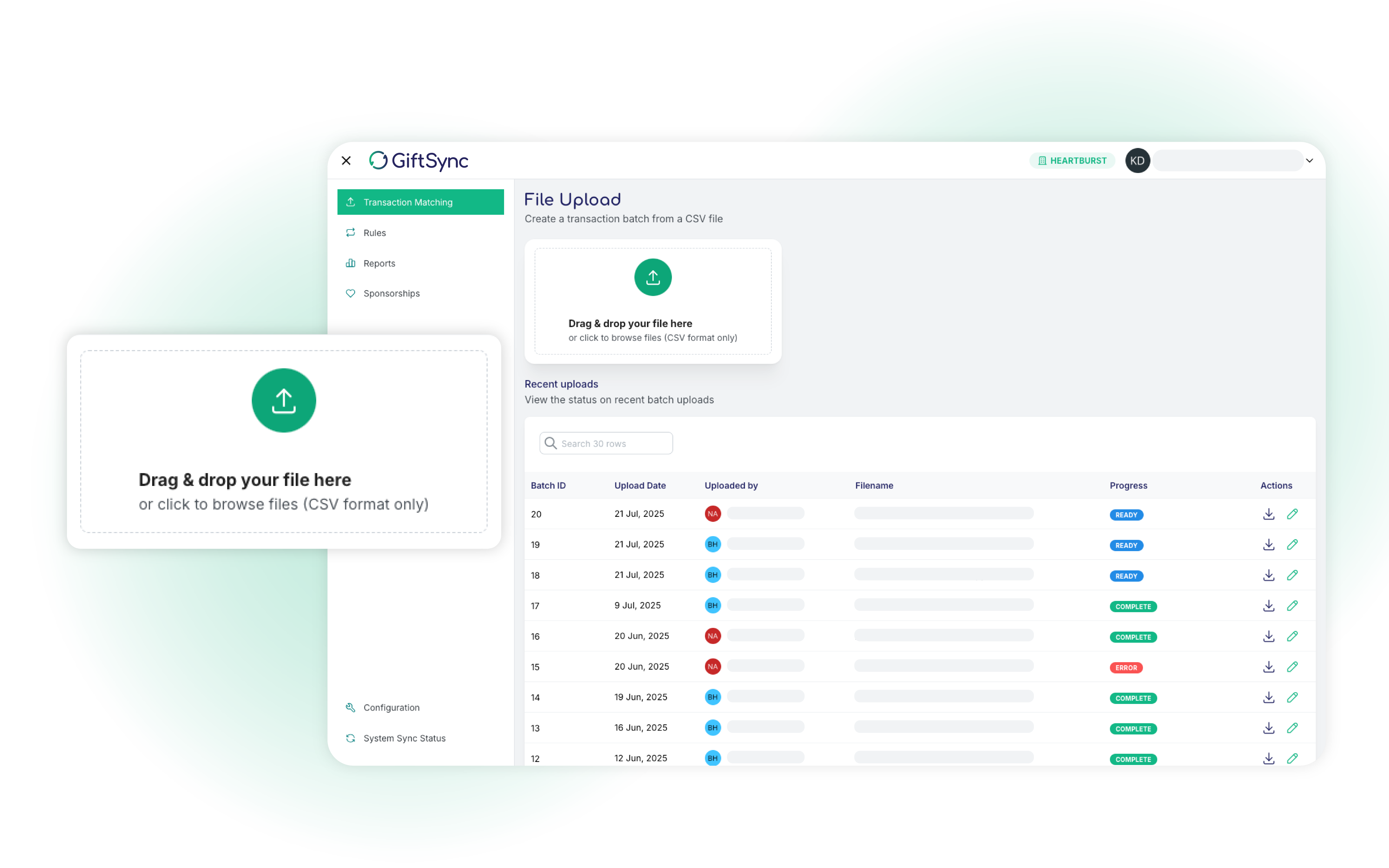
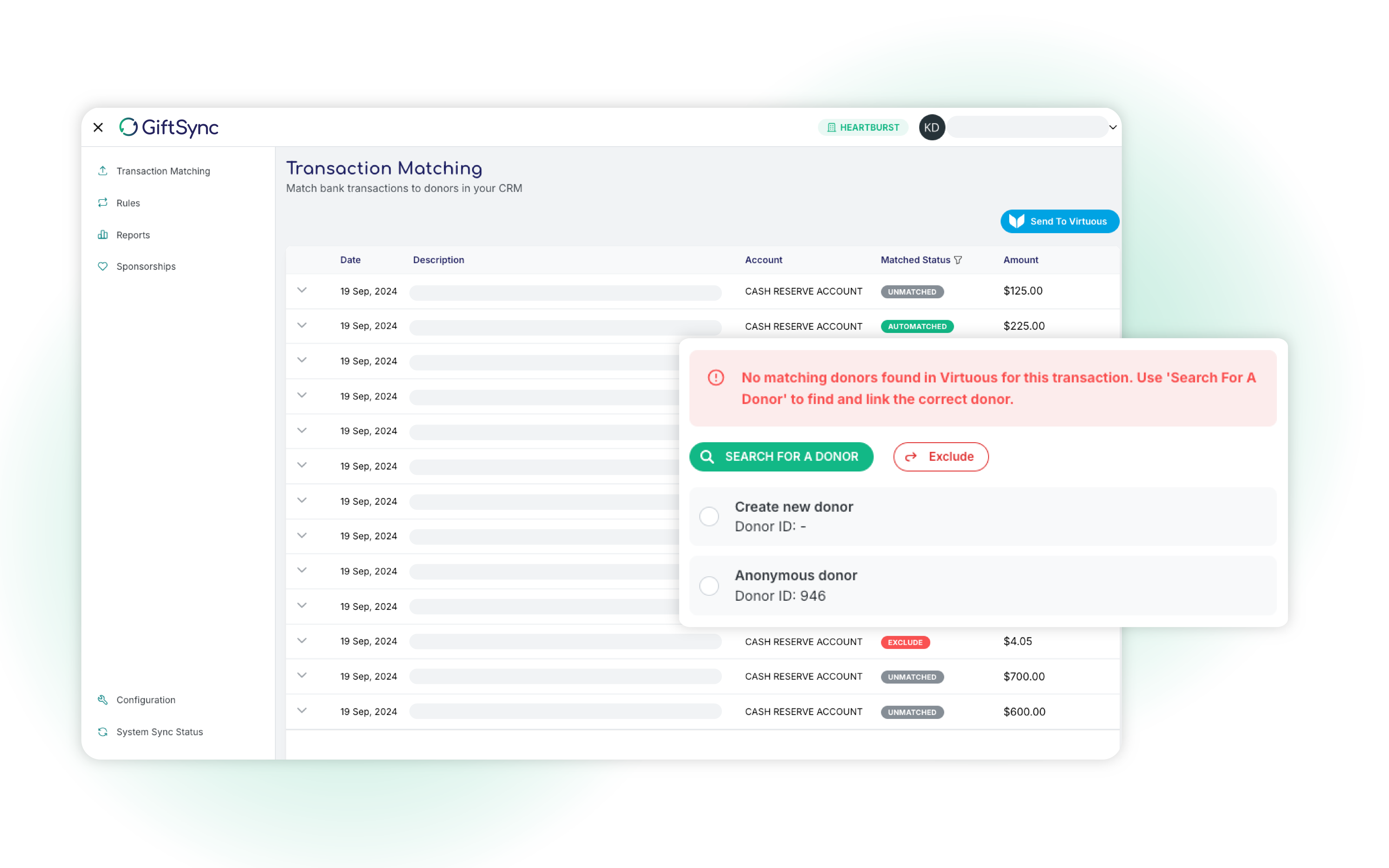
- Imports bank transaction data via CSV, using configurable rules to identify donors quickly and accurately.
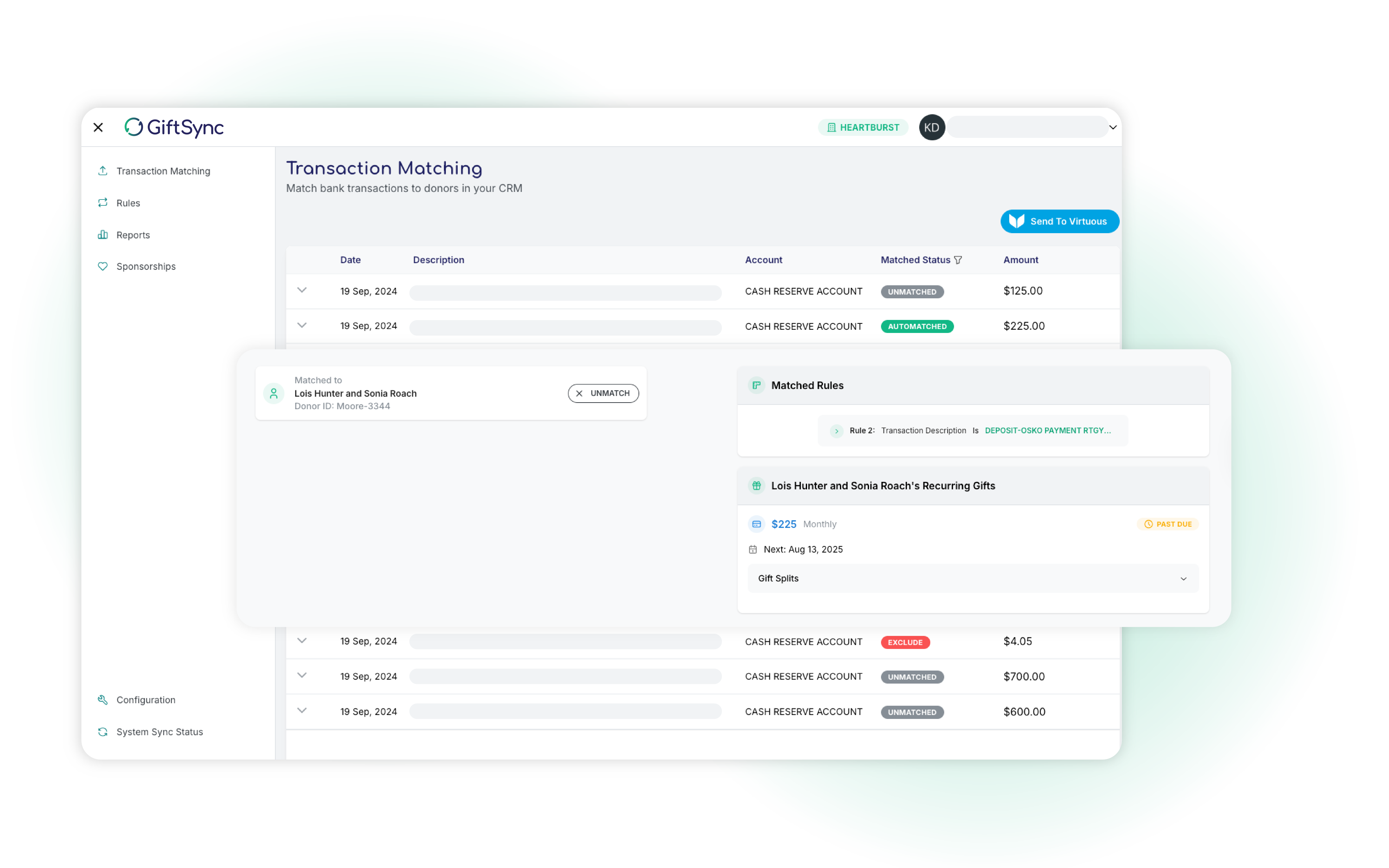
- Accelerates recurring donation matching and enhances Virtuous import tools, saving time on data entry.
- Generates daily invoices and journal entries based on gift splits and Virtuous projects, streamlining bookkeeping.

Change Handling
- Automatically updates journals when gift splits or Virtuous projects change, creating new entries to reflect updates while preserving original records for audit compliance.

Reporting
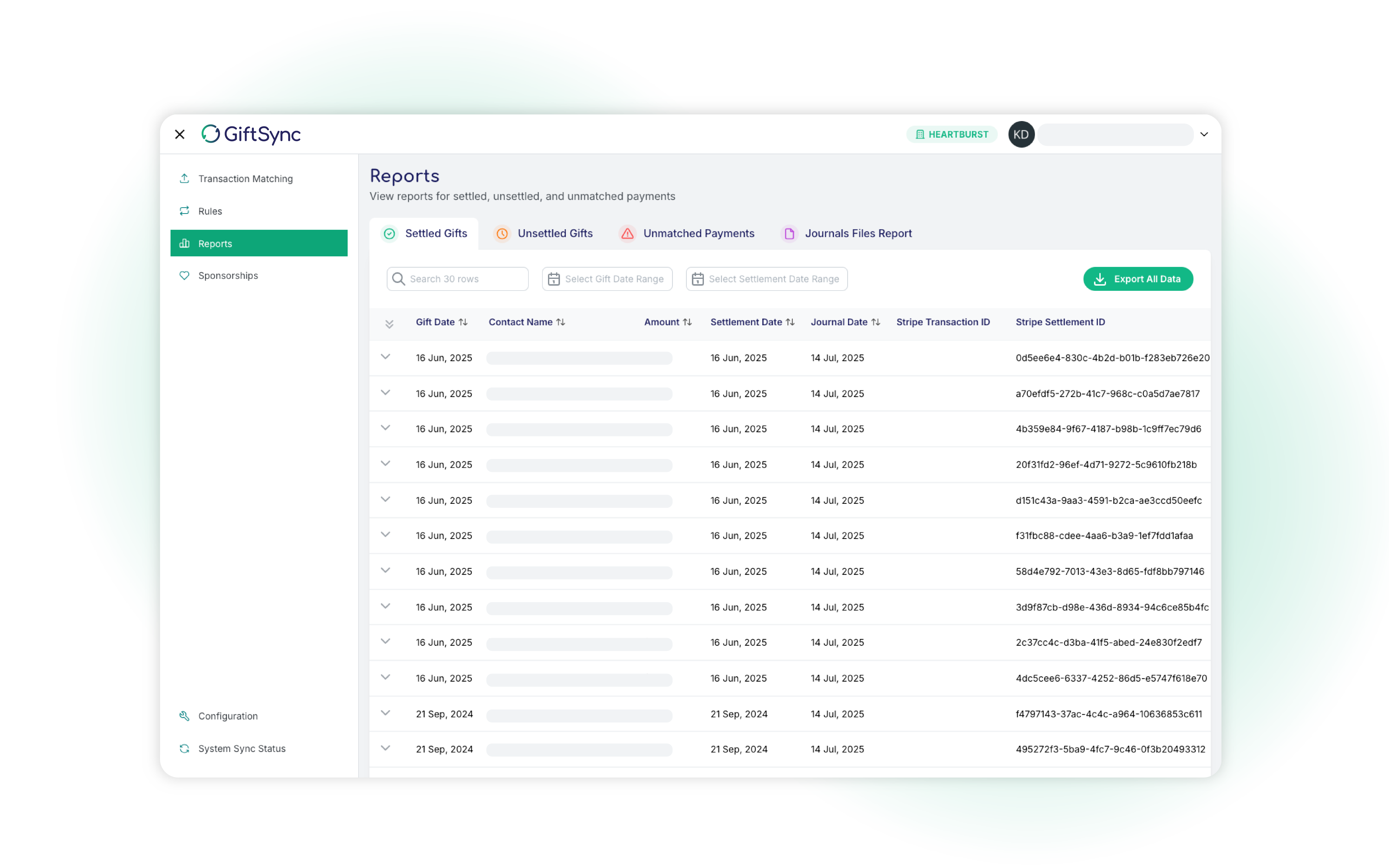
- Tracks unsettled Stripe gifts and identifies Stripe settlements missing from Virtuous, ensuring no donation is overlooked.
- Provides detailed audit reports by date, gift ID, contact name, and more, simplifying compliance and donor tracking.

System Compatibility
- Supports any donation platform using Stripe, offering flexibility for your fundraising tools.
- Allows unlimited user accounts, enabling your entire team to collaborate securely.
Images
Media
Resources

FAQ
GiftSync seamlessly captures Stripe settlements by linking each donation to its corresponding settlement event, ensuring your financial records align with bank statements. Only settled gifts are sent to your accounting system, and GiftSync includes Stripe’s transaction costs in the process, automatically generating journal entries to allocate funds to the appropriate Virtuous projects. This streamlined approach ensures accurate bookkeeping and compliance, with detailed reporting available to track settlements and journals by date, gift ID, or donor.
An invoice is created for each Stripe settlement. There may be more than one Stripe settlement in a day.
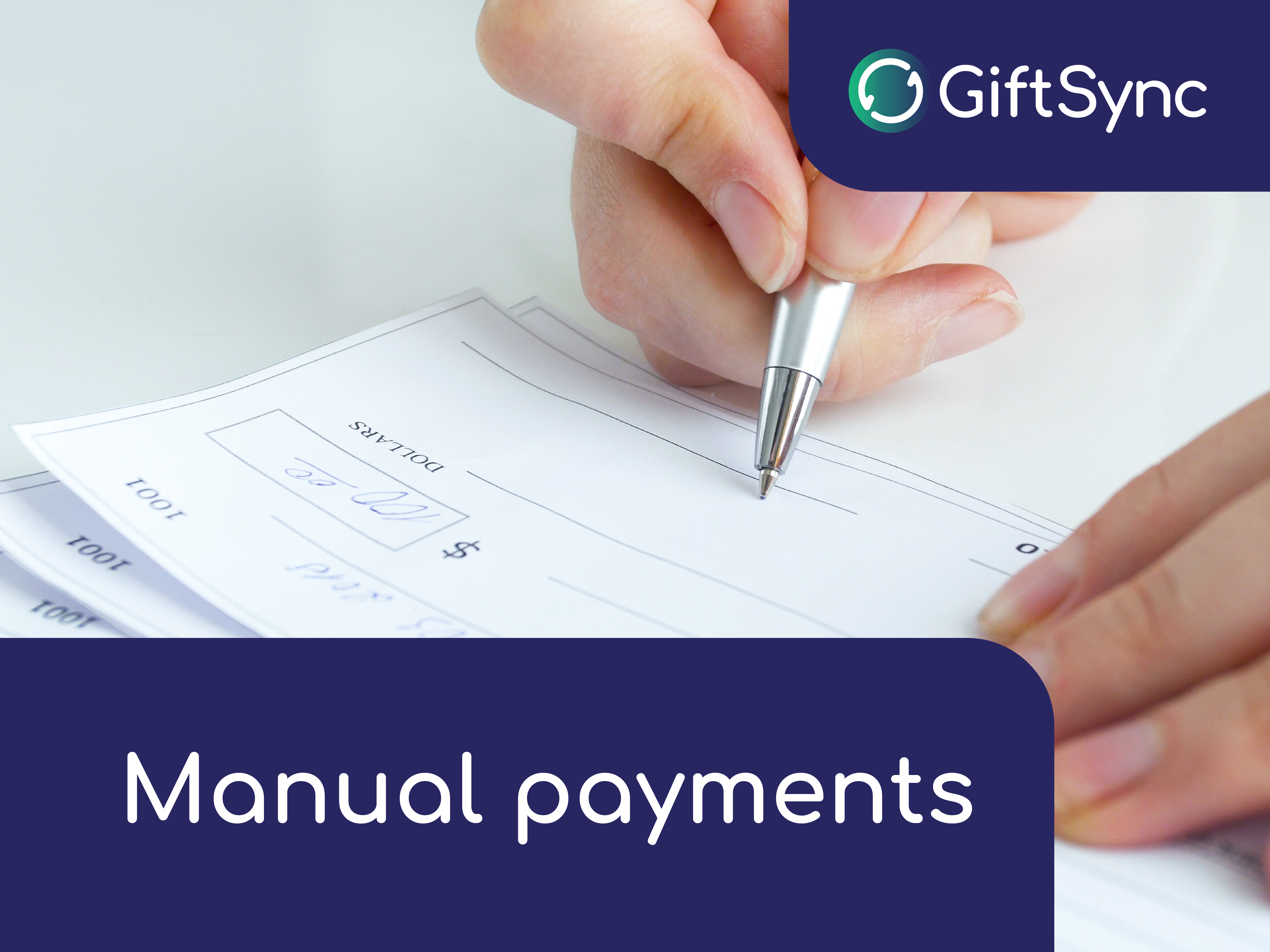
GiftSync simplifies the processing of manual payments (Bank Transfer Donations, Cheques, Cash, EFT, and EFTPOS) by importing bank transaction data via CSV files and using configurable rules, combined with Virtuous data, to quickly identify donors and match recurring donations. This enhances Virtuous Gift and Contact Import tools, saving time on data entry, and generates daily invoices and journal entries aligned with gift splits and Virtuous projects. Comprehensive reporting tracks donations, settlements, and journals, ensuring accuracy and audit readiness.
Invoices are automatically generated after the Bank Transactions CSV is processed and gifts are imported into Virtuous via the Gift Import Tool. GiftSync runs automatically daily to generate the required invoice and journal records. Each gift is itemized as a separate line on the invoice, ensuring transparency and traceability for accounting, donor management, or compliance.
- Change Detection: GiftSync identifies a change in project allocation for a gift (e.g., a gift split is reassigned to a different project).
- Restoring Money to Default Revenue Account: GiftSync generates journal entries to move the funds back to a default revenue account to reset or reconcile the original transaction.
- Creating New Journal Records for the New Project: After restoring the funds, GiftSync creates new journal entries to allocate the correct amounts to the new project, ensuring accurate tracking.
If a significant donation amount is reassigned to a new project or campaign, GiftSync sends an email detailing the change, including the amount and affected projects. This can happen if a project’s financial settings (e.g., chart of accounts) are updated in Virtuous or a substantial donation is realigned. GiftSync automatically generates new journal entries, dated on the day of the change, to record the reallocation, while preserving existing journal entries and invoices.
GiftSync preserves existing journal entries and invoices, creating new journal entries dated on the day of the change to reflect the updated allocation.
- Unsettled Gifts Report: Virtuous Gifts that have not received their Stripe settlement
- Settled Gifts Report: Stripe settlements that cannot find their Virtuous Gift
- Audit Report: An audit report of Transactions/Gifts that can be filtered/searched using:
- Date Range of gift, Settlement, Journal/invoice
- Virtuous Gift ID
- Stripe Batch ID
- Contact/Individual Names
- Journal ID/Invoice #
GiftSync allows you to create an unlimited number of user accounts, enabling your team to collaborate seamlessly on donation and accounting tasks.
GiftSync supports all donation platforms that use Stripe to process payments.
In addition to the annual subscription fee, GiftSync charges fees proportional to the value of donations processed. No other fees apply for features like user accounts or journal entries. For detailed pricing information, including subscription plans and per-donation fee structures, please click contact us.
Pricing
We charge an initial implementation fee. GiftSync is based on a subscription model. Prices vary depending on the volume of donations.
GiftSync for Virtuous Add-on
Request a quote
Pricing scales by volume of transaction.
* The pricing here is for display purposes only. You should contact the partner for the most up to date and correct pricing information. We do not take any responsibility for this pricing information, which is provided by our partners. Pricing last updated: 04 Dec, 2025 12:00AM
Vertical Focus
All Nonprofits
Virtuous Academy Certified
Certified
Virtuous Academy Certified
Implementation Partner
